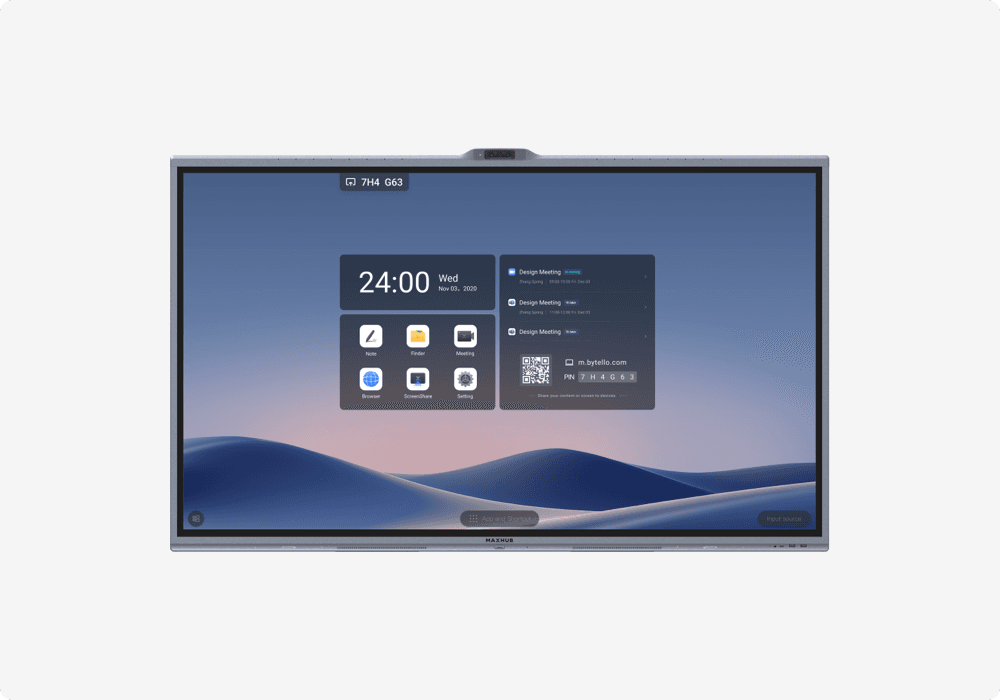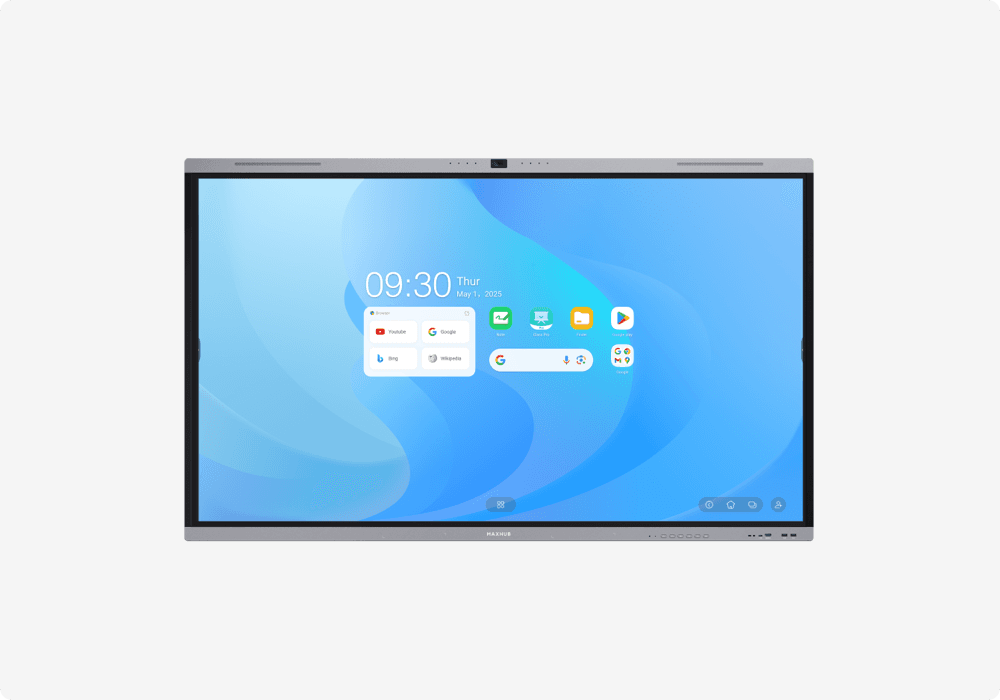
The question of smart board versus projector is one of the most common in educational and corporate display procurement. Both technologies serve the fundamental purpose of displaying visual content to a group, but they differ dramatically in image quality, interactivity, maintenance requirements, and total cost of ownership. A note on terminology: "smart board" is technically a brand name from SMART Technologies, but searchers use the term generically to refer to any interactive flat panel display (IFPD). In this article, we use "smart board" to mean interactive flat panel displays broadly.
This comparison is designed to help teachers, school administrators, corporate facilities managers, and IT buyers make an informed decision between these two technologies for their specific environments and requirements.
What Is a Smart Board (Interactive Flat Panel)?
A smart board, or interactive flat panel display, is a large touchscreen display (55 to 98 inches) with built-in computing capability. It combines a high-resolution display, multi-touch interaction, whiteboarding software, built-in speakers, and computing (Android OS, optional Windows via OPS module) in a single device. No projector, no separate screen, no lamp replacements. Key brands include MAXHUB, Samsung, BenQ, ViewSonic, and Newline. Modern smart boards deliver 4K UHD resolution, support 20 to 40 simultaneous touch points, and include wireless screen sharing as standard.
What Is a Modern Projector Setup?
Modern projector setups range from basic throw projectors with a manual screen to sophisticated ultra-short-throw laser projectors with interactive whiteboard surfaces. Laser projectors have largely replaced lamp-based models in new installations, offering 20,000+ hour light source life compared to 3,000 to 5,000 hours for traditional lamps. Interactive projector setups pair the projector with a touch-sensitive whiteboard surface, enabling annotation and touch interaction. However, projectors remain the dominant technology in large venues, auditoriums, and lecture halls where very large display sizes (100 inches and above) are required at a manageable cost.
Smart Board vs Projector -- Feature Comparison
| Feature | Smart Board (IFPD) | Projector |
|---|---|---|
| Image Quality | 4K UHD, crisp at close range | 1080p common, 4K expensive |
| Ambient Light Performance | Excellent, unaffected by room light | Poor in bright rooms |
| Interactivity | Built-in 20-40 point multi-touch | Requires interactive surface |
| Audio | Built-in speakers (15-20W x 2) | External speakers needed |
| Screen Size | 55-98 inches | Up to 300+ inches |
| Maintenance | Near-zero (no consumables) | Lamp/filter replacement, calibration |
| Lifespan | 50,000 hours | 3,000-5,000 hours (lamp) / 20,000+ (laser) |
| Installation | Wall mount, simple | Ceiling mount, alignment needed |
| Wireless Sharing | Built-in | Requires additional hardware |
| Video Conferencing | Some models include camera/mic | Requires separate AV setup |
| Upfront Cost | Higher | Lower for basic setup |
| 5-Year TCO | Competitive or lower | Higher (lamps, maintenance) |
Image Quality -- Clear Winner?
Resolution and Sharpness
Smart boards deliver native 4K UHD resolution with crisp, sharp text that is readable even at close viewing distances. This is critical for classrooms where students in the front row are 1.5 to 2 meters from the display. Projectors commonly output 1080p resolution, which appears noticeably softer than 4K, particularly for text-heavy content. 4K projectors exist but command premium pricing.
Brightness and Ambient Light
This is the single biggest practical difference in daily use. Smart boards produce their own light at 350 to 450 nits, making them completely unaffected by room lighting, window glare, or time of day. Projectors project light onto a surface, and their effective brightness is drastically reduced by ambient light. In a typical classroom with windows and overhead lights, projector images appear washed out and difficult to read. This frequently requires closing blinds or dimming lights, which reduces the learning environment quality and can cause drowsiness.
Color Accuracy and Contrast
Smart boards deliver consistent, factory-calibrated colors that do not degrade over time. Projector colors vary by model, degrade as lamps age, and are affected by the projection surface color and ambient light. For content where color accuracy matters (brand presentations, design work, educational materials with color-coded information), smart boards provide a markedly better experience.
Interactivity and Collaboration
Touch and Annotation
Smart boards feature built-in multi-touch interaction with 20 to 40 simultaneous touch points, low-latency palm rejection, and natural writing feel. Annotation, whiteboarding, and collaborative drawing are core capabilities. Interactive projectors exist but offer less responsive touch detection that requires periodic calibration. Standard (non-interactive) projectors offer no touch capability whatsoever.
Wireless Screen Sharing
Smart boards include built-in wireless screen sharing supporting multiple devices and platforms (AirPlay, Miracast, proprietary systems). Any participant can share their screen without cables or dongles. Projectors require additional hardware such as Chromecast or wireless presentation adapters to enable wireless sharing, adding cost and complexity.
Maintenance and Lifespan
Smart Board Maintenance
IFPDs have no consumable components. There are no lamps to replace, no filters to clean, and no calibration requirements. The LED backlight is rated for 50,000 hours, which translates to approximately 17 years at 8 hours per day. Maintenance consists of occasional software updates (often delivered automatically) and surface cleaning. This near-zero maintenance profile is particularly valuable for organizations managing dozens or hundreds of rooms.
Projector Maintenance
Lamp-based projectors require lamp replacement every 3,000 to 5,000 hours of use, with each lamp carrying a meaningful cost. Air filters need periodic cleaning to prevent overheating. Interactive projectors require touch calibration after any movement or vibration. Laser projectors significantly improve on lamp life (20,000+ hours) but still require filter maintenance and have higher upfront costs. Over a 5-year period, projector maintenance costs add materially to the total cost of ownership.
Cost Comparison
Upfront Cost
A basic projector setup (projector + screen) costs less upfront than an equivalent-size smart board. However, the projector requires separate speakers, potentially an interactive surface, a wireless sharing adapter, and installation that includes ceiling mounting and cable routing. When all components are factored in, the gap narrows significantly. Smart boards are truly all-in-one: display, touch, speakers, computing, and wireless sharing included.
Total Cost of Ownership (5-Year)
Over a 5-year lifecycle, smart boards frequently deliver lower total cost of ownership than projector setups. The elimination of lamp replacements, reduced maintenance time, lower energy consumption, and zero calibration requirements offset the higher upfront investment. For organizations deploying across 10, 50, or 100+ rooms, the cumulative maintenance savings become substantial.
Best Use Cases -- When to Choose Each
Choose a Smart Board When
The room has ambient light from windows or overhead lighting and blackout blinds are not available or practical. Interactivity and annotation are essential for the use case. The room is small to medium in size, accommodating up to approximately 40 people. Video conferencing and hybrid meetings are needed. Low maintenance is a priority, particularly for organizations managing many rooms. The display will be used daily for teaching, presentations, or collaboration.
Choose a Projector When
A very large display is needed exceeding 100 inches, such as in auditoriums and lecture halls. Budget is extremely limited and only basic display-only capability is required. The room has controlled lighting with blackout capability. Interactivity is not a requirement for the use case. The installation is temporary or for rental purposes.
The Hybrid Approach
Many institutions deploy both technologies strategically: interactive flat panels in classrooms and meeting rooms where interactivity, ambient light performance, and low maintenance matter most, and projectors in auditoriums and large lecture halls where very large display size is the primary requirement. This hybrid approach matches technology to room requirements for cost-effective, fit-for-purpose deployments.
Frequently Asked Questions
Is a smart board worth the investment over a projector?
For most modern classrooms and meeting rooms, yes. Interactive flat panels offer better image quality in ambient light, built-in interactivity, lower maintenance, and competitive total cost of ownership over 5 years despite a higher upfront cost.
Can a smart board replace a projector in a classroom?
In most classrooms accommodating up to 40 students, an 86-inch interactive flat panel can effectively replace a projector. For very large lecture halls requiring 100-inch or larger displays, projectors may still be the practical choice.
Do projectors still make sense in 2026?
Yes, projectors remain relevant for large venues (auditoriums, conference halls), budget-constrained deployments where interactivity is not needed, and temporary or rental setups. Laser projectors offer improved lifespan over lamp-based models and remain the practical choice for very large display requirements.
How much does a smart board cost in India?
Smart board pricing in India varies by size, brand, and features. 65-inch panels are the most affordable entry point, with 75-inch and 86-inch models progressively priced higher. For current pricing, contact an authorized distributor. Read our complete IFPD buyer's guide for detailed information.
Evaluating display options for your classrooms or offices? Visit our Experience Center to compare smart boards and projectors side by side, or talk to our team for expert guidance.