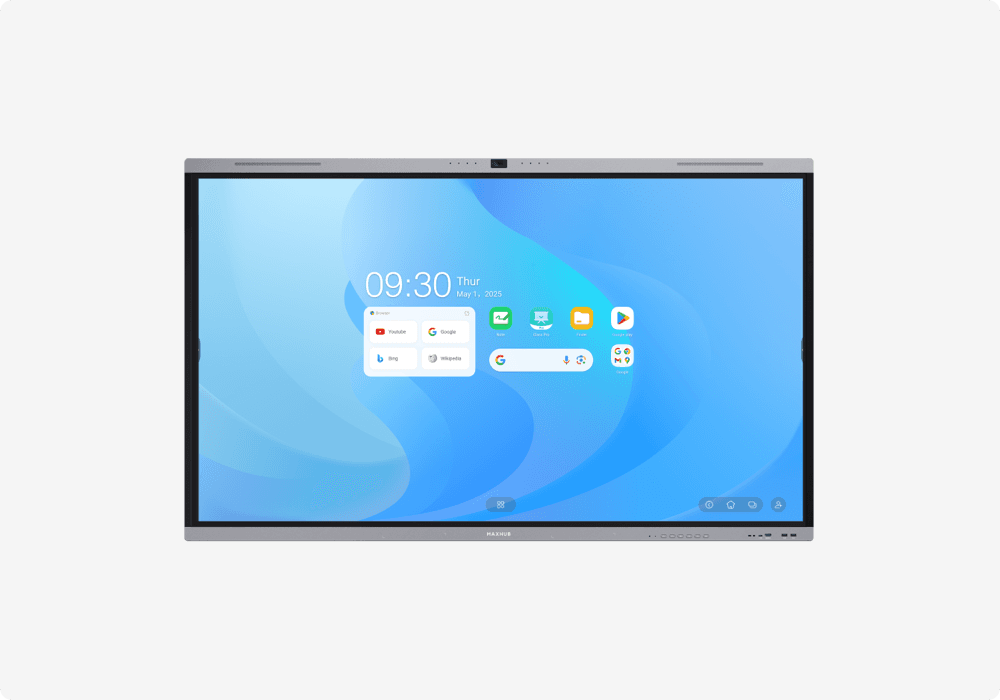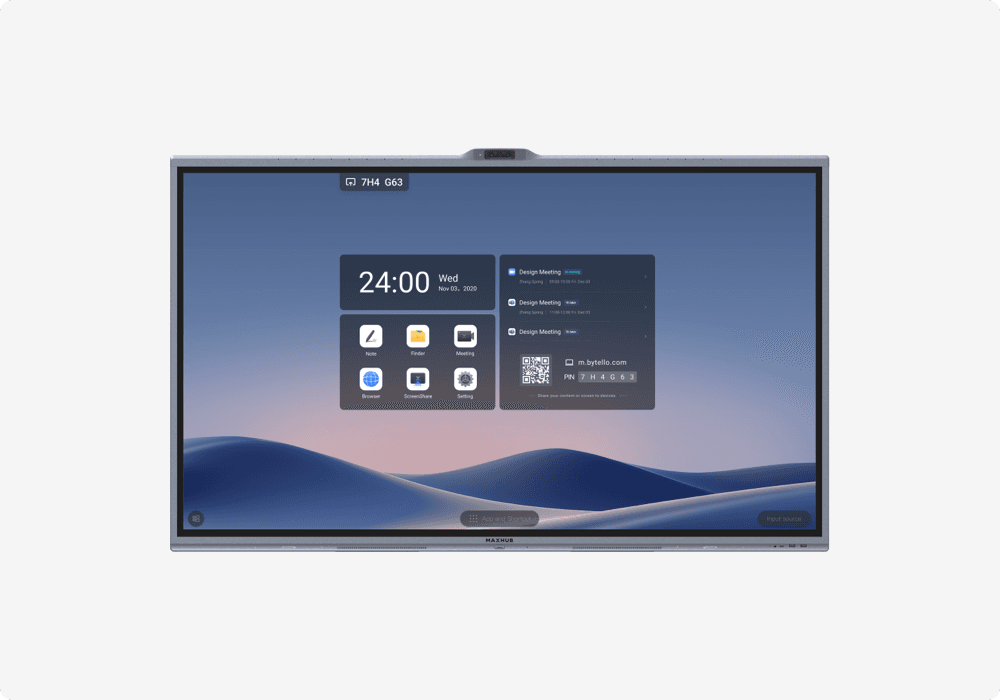
Interactive Flat Panel Displays (IFPDs) have fundamentally changed how organizations present, collaborate, and teach. These large-format touchscreen displays combine the functions of a projector, screen, whiteboard, speakers, and computing device into a single, all-in-one unit. The Indian market for IFPDs is growing rapidly, driven by NEP 2020 mandates for digital classrooms, the shift to hybrid work models, and enterprise digital transformation initiatives.
This guide is designed for educators, IT teams, facilities managers, and AV integrators who need to evaluate and select the right IFPD for their classrooms, meeting rooms, or training facilities. We cover the technology fundamentals, key features, sizing guidance, brand comparisons, and pricing context to support informed purchasing decisions.
What Is an Interactive Flat Panel Display (IFPD)?
Definition and Core Functionality
An IFPD is a large-format touchscreen display, typically ranging from 55 inches to 98 inches, with built-in computing capability. Unlike traditional interactive whiteboards that rely on a separate projector, IFPDs are self-contained units that produce their own image using LED-backlit LCD technology. Core functionality includes multi-touch interaction for annotation and drawing, built-in whiteboarding applications with infinite canvas, wireless screen sharing from laptops, tablets, and smartphones, video conferencing integration with platforms like Microsoft Teams and Zoom, and built-in Android OS for standalone operation without an external computer.
In practical terms, an IFPD replaces four to five separate devices: the projector, projection screen, whiteboard, speakers, and often a dedicated computer. This consolidation simplifies the room setup, reduces maintenance requirements, and delivers significantly better image quality than projector-based alternatives.
How IFPDs Differ from Interactive Whiteboards
Traditional interactive whiteboards (IWBs) project an image onto a touch-sensitive surface using a separate projector. This approach requires regular projector lamp replacement, periodic calibration of the touch surface, a darkened room for optimal image quality, and significant mounting space for the projector throw distance. IFPDs eliminate all of these requirements. The display produces its own bright, high-resolution image that is clearly visible in fully lit rooms. Touch accuracy is inherent to the panel rather than calibrated onto a surface. While IFPDs have a higher upfront cost than basic IWB setups, the total cost of ownership over five years is typically lower when factoring in lamp replacements, calibration, and maintenance for projector systems.
Key Features to Look for in an IFPD
Touch Technology
IFPDs use one of two primary touch technologies. Infrared (IR) touch uses an array of infrared beams across the display surface to detect touch points. It is the most common technology, supporting 20 to 40 simultaneous touch points, and offers reliable performance at a cost-effective price. Projected Capacitive (PCAP) touch uses embedded sensors in the glass surface for more precise, smoother touch detection similar to smartphone screens. PCAP is found in premium IFPD models and offers superior writing feel, better palm rejection, and lower touch latency.
Display Quality
Modern IFPDs universally offer 4K UHD resolution (3840x2160 pixels), which provides sharp text and detailed imagery at typical classroom and meeting room viewing distances. Anti-glare glass is essential for readability in bright rooms with windows or overhead lighting. Zero-bonding (laminated) displays eliminate the air gap between the glass surface and the LCD panel, reducing internal reflections and improving touch accuracy. Brightness of 350 to 450 nits is standard and sufficient for indoor classroom and meeting room use.
Built-in Computing
Most IFPDs include a built-in Android operating system that enables standalone operation without connecting an external computer. Users can run whiteboard apps, access cloud files, browse the web, and run Android applications directly on the panel. For organizations requiring Windows capability, many IFPDs offer an OPS (Open Pluggable Specification) slot that accepts a slide-in Windows PC module. Having both Android and optional Windows computing provides maximum flexibility for different use scenarios.
Connectivity and Wireless Sharing
Essential connectivity includes HDMI inputs for laptops and media players, USB-C with power delivery for single-cable laptop connection and charging, USB-A ports for touch-back and peripheral connection, Wi-Fi and LAN for network connectivity, and wireless screen mirroring supporting AirPlay, Miracast, and proprietary protocols. Wireless screen sharing is increasingly important for BYOD (Bring Your Own Device) environments where multiple participants need to share content without cables.
Software Ecosystem
The software bundled with an IFPD significantly affects its practical value. Evaluate the whiteboarding and annotation application quality, device management (MDM) capabilities for fleet deployment across multiple rooms, cloud storage and collaboration features for saving and sharing session content, and the app ecosystem including availability of educational and business applications. Some manufacturers include comprehensive software suites at no additional cost, while others charge separately for advanced features.
IFPD Sizes -- Which Size Do You Need?
| Room Type | Capacity | Recommended IFPD Size |
|---|---|---|
| Small huddle room | 4-6 people | 55-65 inches |
| Medium meeting room | 8-12 people | 75 inches |
| Large classroom | 30-40 students | 75-86 inches |
| Large boardroom / training hall | 20+ people | 86-98 inches |
For classrooms accommodating 30 to 40 students, 75-inch or 86-inch panels are recommended to ensure visibility from the back row. The 86-inch size has become the standard for Indian classrooms adopting digital display technology under NEP 2020 guidelines. For spaces that cannot be adequately served by a single panel, dual-display setups using two 75-inch or 86-inch panels side by side provide extended visual coverage.
IFPD for Education vs Corporate -- Different Priorities
Education Use Cases
The National Education Policy (NEP) 2020 is driving rapid adoption of digital classroom technology across India. For education deployments, key priorities include physical durability to withstand daily use by students, simple and intuitive user interface that teachers can operate without IT support, centralized device management for fleet deployment across an entire campus, integration with learning management systems (LMS) and educational content platforms, dust resistance appropriate for Indian classroom environments, and child-safe design with secure wall mounting.
Corporate Use Cases
Corporate meeting room deployments prioritize hybrid meeting enablement with integrated video conferencing, seamless integration with Microsoft Teams Rooms, Zoom Rooms, or similar platforms, wireless BYOD sharing as a primary use case for presentations, premium aesthetics suitable for client-facing meeting spaces, and advanced collaboration features including multi-user whiteboarding and remote annotation. The corporate market increasingly demands unified communication (UC) certified panels that provide native integration with enterprise video conferencing platforms.
Top IFPD Brands Available in India
MAXHUB
MAXHUB is one of the world's largest interactive flat panel manufacturers, purpose-built for collaboration and interactive display applications. MAXHUB panels are known for their strong software ecosystem including the MAXHUB Board whiteboarding app and MAXHUB Share wireless presentation system, competitive pricing relative to feature set, and Microsoft Teams and Zoom certification on UCM series models. MAXHUB offers distinct product series for education (U Series), corporate (V/Classic Series), unified communications (UCM Series), and premium applications (Raptor Series with PCAP touch).
Samsung
Samsung brings its display technology leadership to the interactive panel market with the Samsung Flip series. Samsung panels are valued for exceptional display quality leveraging Samsung's panel manufacturing expertise, strong brand recognition and enterprise ecosystem integration, and seamless integration with Samsung's broader commercial display and signage portfolio.
Other Notable Brands
The Indian market also features competitive IFPD offerings from LG, BenQ, ViewSonic, and Newline. Each brings specific strengths in different segments, from education-focused models to premium corporate solutions.
IFPD Pricing -- What to Expect in India
Price Ranges by Size
IFPD pricing in India varies based on brand tier, screen size, touch technology (IR vs PCAP), computing capabilities, and software licensing. As a general framework, 65-inch panels occupy the entry range, 75-inch panels sit in the mid-range suitable for most classrooms and meeting rooms, and 86-inch panels represent the premium range for large classrooms and boardrooms. Prices have been trending downward as manufacturing volumes increase and competition intensifies.
Total Cost of Ownership
IFPDs offer compelling total cost of ownership compared to projector-based alternatives. There are no lamp replacements (projector lamps cost significantly and need replacement every 3,000 to 5,000 hours), no calibration requirements, minimal maintenance, and a 50,000-hour rated backlight life (approximately 17 years at 8 hours daily). Software subscription costs vary by manufacturer: some include comprehensive software suites, while others charge annual fees for premium features. Factor in installation, wall mounting, optional mobile stands, and training when budgeting.
Frequently Asked Questions
What is the difference between an IFPD and a smart board?
An IFPD is a standalone touchscreen display with built-in computing that does not require a projector. A traditional smart board (interactive whiteboard) uses a projector to display images on a touch-sensitive surface, requiring calibration and lamp replacements. IFPDs offer better image quality, touch accuracy, and lower long-term maintenance.
How long do interactive flat panels last?
Most commercial-grade IFPDs are rated for 50,000 hours of backlight life, which equates to approximately 17 years at 8 hours per day of use. The touch surface and electronics typically last the full rated lifespan with proper care.
What size interactive panel is best for a classroom?
For a standard classroom of 30 to 40 students, a 75-inch or 86-inch interactive panel is recommended. The 86-inch size ensures visibility from the back row. Smaller huddle rooms and tutorial spaces can use 65-inch panels effectively.
Can IFPDs work without internet?
Yes. IFPDs can operate fully offline using the built-in Android OS for whiteboarding, annotation, and local file playback. Internet connectivity adds cloud features, wireless sharing, and video conferencing capability but is not required for core functionality.
Want to compare IFPDs hands-on? Visit our Experience Center in Bengaluru or talk to our specialists for a tailored recommendation.